The writing app for the whole book.

Keyboard-first and offline-first, with every draft, note, and outline in plain Markdown and Fountain files you own. Bring in AI agents exactly as much as you want.

Free for 14 days, then $29 once · macOS and Linux beta

Keydown with The Last Lantern open: the binder in the sidebar, the opening scene in the editor, and its summary in the margin.

Keyboard-first

Every part of the workspace is a keystroke away. Your hands stay where the words are.

Offline-first

No account, no server, no spinner. Keydown opens and works wherever you are.

Portable files

Markdown and Fountain on your own disk. Use git, Dropbox, or any editor alongside.

Never leave the keys.

Write, shape a heading, set a note aside, summarise a passage, leave a comment, and move through the outline, all from the keyboard. The line you are writing stays where your eyes are.

The real editor, driven only by the keyboard.

Get the highlights.

  1. Typewriter focus. The line you are writing stays at eye level, and everything else steps back.

  2. The whole book, one window. Binders hold scenes and chapters in order, so you can restructure without moving a file.

  3. Prose and screenplay. Novels in Markdown, scripts in Fountain, side by side in the same project.

  4. Light and dark. Quiet typography in both, tuned for long sessions. Move across the page to compare.

Your book is just files.

Prose in Markdown, screenplays in Fountain, and the order of the manuscript in a readable BINDER.md. Keydown adds the craft on top; it never locks the work inside.

  • Open any file in another editor, now or in twenty years.
  • Version with git, back up with anything, sync however you like.
  • Agents and collaborators can work on the project outside Keydown, too.

AI, exactly as much as you want.

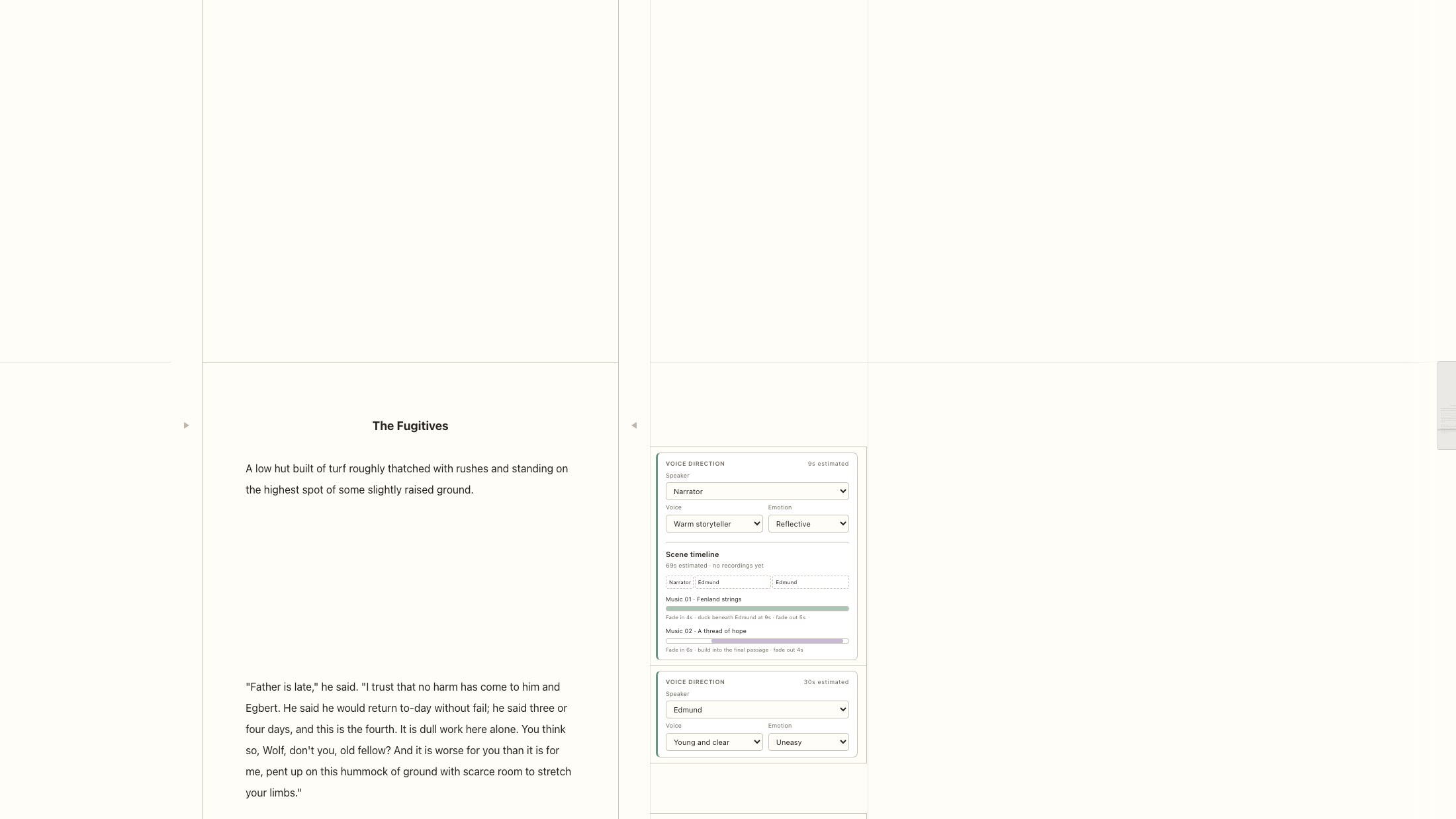
Keydown has no AI of its own. Its MCP server lets the assistant you already pay for work inside your project, from writing the whole book with you to never touching a sentence.

More MCP clients work too.
  1. Ghostwriter

    Interviews you, then drafts and revises the whole work from a conversation.

  2. Co-author

    Drafts scenes from your outline and summaries. You rewrite in your own voice.

  3. Editor

    Line edits and continuity checks, each one labelled and undoable in the editor.

  4. Research partner

    Gathers sources, checks facts, and keeps notes beside the manuscript.

  5. Reader

    Reads the book and answers in comments. Every word of the prose stays yours.

Bring your own subscription. Claude Code, Codex, or any MCP client. Keydown never sees your account.

Live, labelled, undoable. Agent edits appear in the editor as they happen, each one a single step you can take back.

Comments as tasks. Mention @agent in a comment and your assistant picks it up, right where the work is.

How Keydown works with AI →

Every project has its own way.

A familiar place to write, with room to make it yours. Extensions shape Keydown around the method of a particular book.

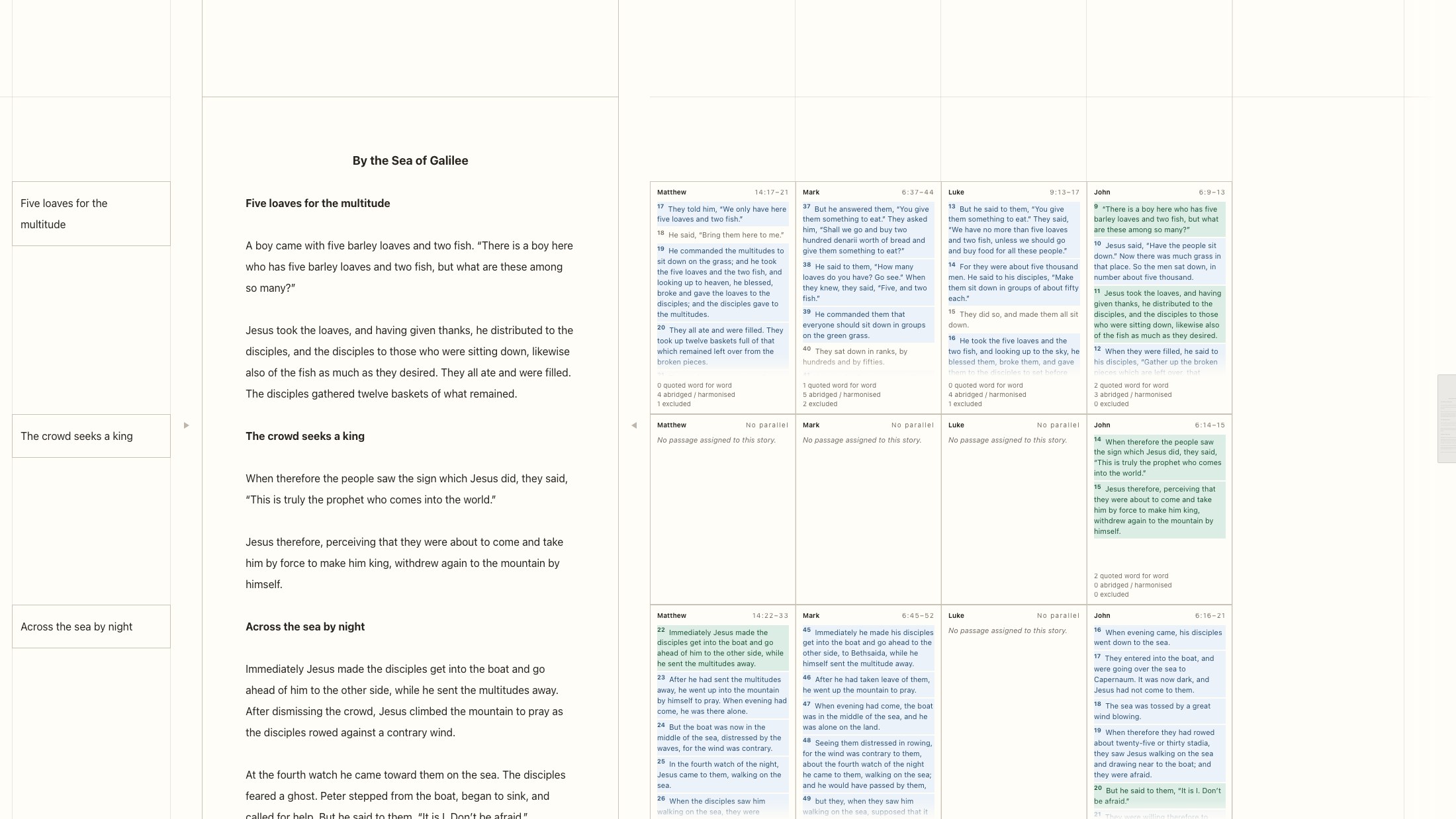
The whole Bible. One harmonised story.

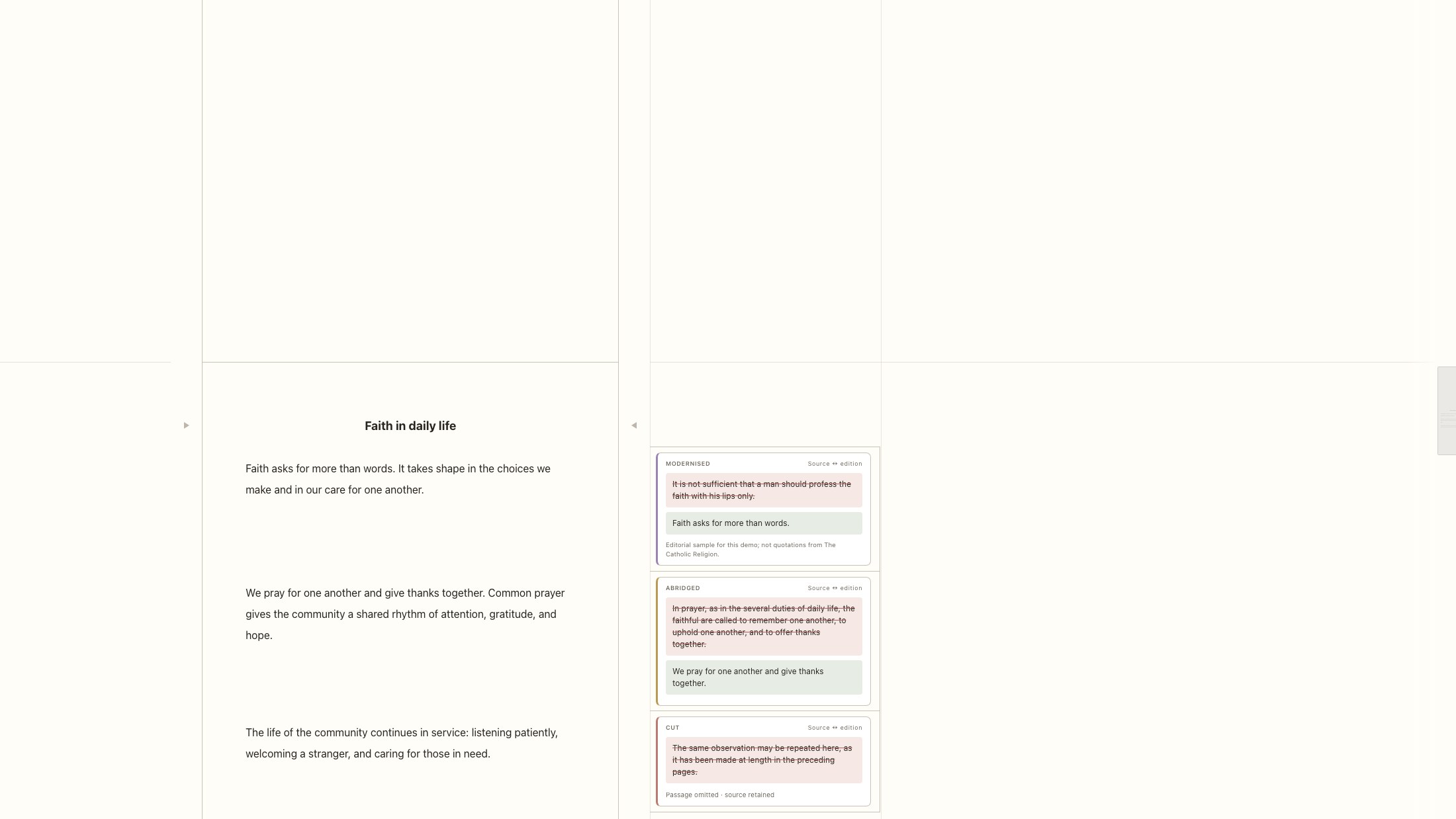
Restructuring and harmonising the Bible into one continuous story, with the historical context that helps each passage find its place. Keydown’s workflow and citations carry the work; a custom provenance extension keeps every editorial choice traceable.

  • Workflow & citations
  • Custom source provenance
  • Human + agent via MCP
Harmonised prose beside four Gospel columns, each passage marked as quoted, harmonised, or excluded.
Verbatim quotations, harmonisations, and deliberate cuts stay connected to their sources.

Free for 14 days.
Then yours to keep.

$59 $29

Keydown. A one-time purchase. Every feature, on your own machine, for good. Beta price while Keydown is in active development.

$5/month

Keydown Sync. Coming soon: the same app with cloud sync and history across your devices.

Compare plans →

Questions.

Do I need an account or an internet connection?

No. Keydown works fully offline and never asks you to sign in. Your project is a folder on your own disk.

What happens to my files if I stop using Keydown?

Nothing. Prose is Markdown or Fountain, and manuscript order lives in a readable BINDER.md. Any text editor can open them.

Does Keydown include AI?

Not built in. Keydown includes an MCP server, so the assistant you already use, such as Claude Code or Codex, can work in your project on your terms. Without one, Keydown is simply a writing app.

Do I pay for AI through Keydown?

No. You bring your own subscription. Keydown never sees your account or your prompts; your assistant talks to the app on your machine.

How much does it cost?

Every download includes a free 14-day trial. Then Keydown is $29 once, a beta price (regularly $59) while it is in active development. Keydown Sync, an optional subscription with cloud sync, is coming soon.

Which platforms are supported?

macOS (Apple silicon and Intel) and Linux (x64 and ARM64 AppImages) are available now in beta. iOS is coming soon.

Find your rhythm.

Open Keydown, and start the next chapter.